ChatGPT Gets Its Own Browser
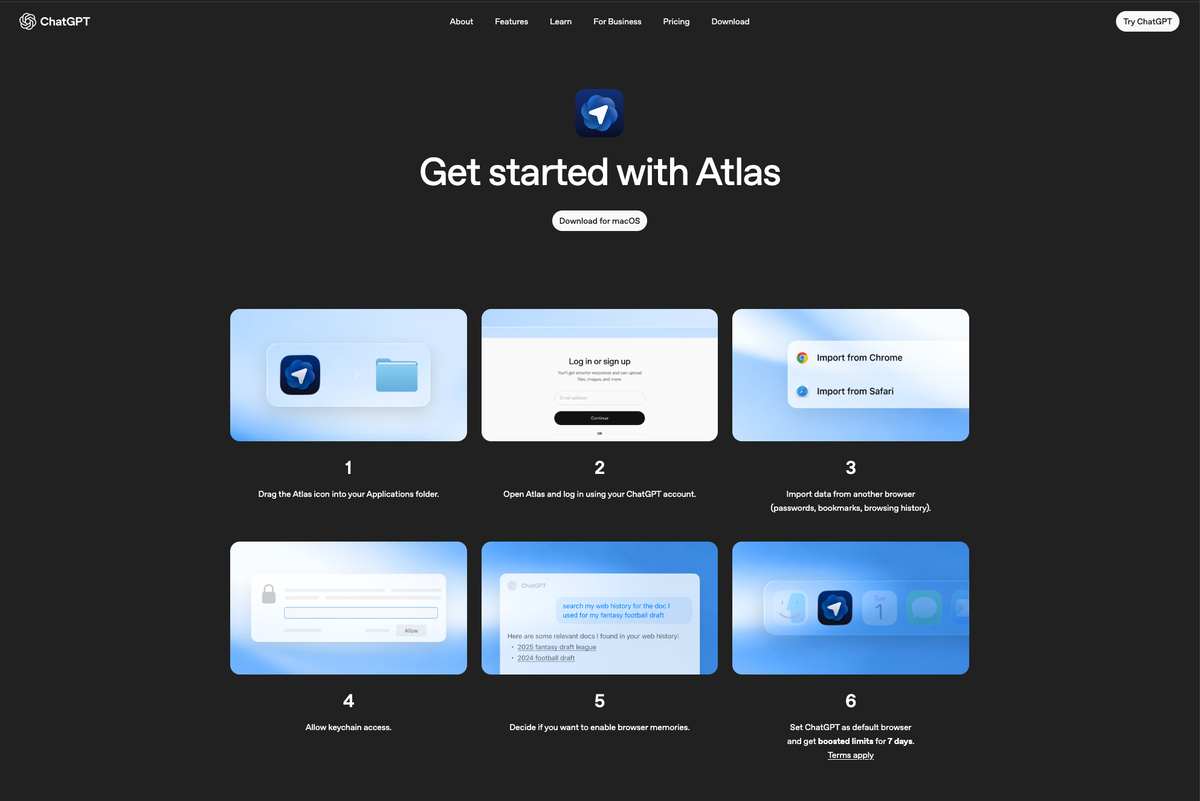
If you've been following the AI world lately, OpenAI just made a move that changes the game: ChatGPT Atlas, their new browser for macOS that puts AI inside every tab you open.
This isn't another AI feature bolted onto Chrome. This is ChatGPT living in your browser, ready to jump in whenever you need it.
What Atlas Actually Does
Here's the rundown: You can highlight any text on any website to summarize or rewrite it instantly. You can chat alongside any site you're browsing. And you can keep an AI companion docked in split view while you work.
The interesting part? Atlas remembers context over time. It learns what you're working on across sessions. Which is either incredibly useful or raises some serious privacy eyebrows, depending on how much you trust OpenAI to sit in the passenger seat of your entire browsing experience.
The Bigger Picture: AI Isn't a Destination Anymore
Atlas isn't trying to reinvent the browser—it's trying to absorb it. You don't go to ChatGPT anymore. It follows you around the web.
And honestly? This is where things get interesting for marketers. We're moving from "AI as a tool you visit" to "AI as an environment you work inside." That shift matters.
But Here's Where It Falls Short

I've been testing Atlas against Perplexity's Comet browser, and there's a clear difference in execution. When I ask Comet to install an extension, it actually does it for me. Atlas? It just gives me instructions.
That gap—between AI that tells you what to do and AI that does it for you—is where the real competition is heading. Atlas feels powerful, but it's still making you do the legwork.

And then there's the availability problem. Atlas currently only supports macOS with Apple Silicon chips. If you're on Windows, Linux, or even an Intel-based Mac, you're out of luck. Meanwhile, Comet supports multiple operating systems, including Intel Macs. For a product positioning itself as the future of browsing, Atlas has a surprisingly narrow audience right now.
What This Means for You
If you're a marketer constantly researching competitors, drafting copy, or pulling insights from multiple sources, an AI-native browser might be the productivity unlock you didn't know you needed.
The question isn't whether to use AI in your workflow anymore. It's where in your workflow AI should live. Should it be a separate tool you tab over to? Or should it be woven into everything you're already doing?
Atlas is OpenAI's bet that the answer is: everywhere.
One Thing to Try This Week
If you're on macOS, give Atlas a spin. Open a competitor's website and ask it to summarize their positioning. Highlight a blog post and have it rewrite the intro in your brand's voice. See if having AI inside your research process feels different than copying and pasting into a separate tool.
Because here's the truth: your competitors aren't winning because they have better AI. They're winning because they've figured out how to use it without breaking their flow. And that's something you can test this week.
Want to talk through which AI tools might actually make sense for your business? Hit reply. We're always up for a real conversation about what's working (and what's just hype).